Baby Diary App: A Calm Guide for Shared Care
By the time evening arrives, the day can feel like a handful of loose notes. One caregiver remembers a bottle, another remembers a short nap, and someone is trying to work out whether the last diaper was wet or soiled. A baby diary app turns those fragments into one shared care record, so the next person looking after the baby starts with the same picture.
The useful question isn't whether your family needs another app. It's whether parents, partners, grandparents, nannies, and daycare can exchange accurate information without relying on memory, scattered messages, or one overworked caregiver. The right tracker supports that handoff while respecting the family's privacy, language preferences, devices, and routines.
Table of Contents
- What a Baby Diary App Actually Does for Your Household
- The Core Logs Every Shared Tracker Should Cover
- How Multi-Caregiver Access Really Works
- How to Choose the Right Baby Diary App
- Setting Up a Shared Tracker in the First Week
- Privacy, Data Ownership, and Offline Use
- Understanding Trial and Pricing Models
- A Gentle Starting Point for Your Family
What a Baby Diary App Actually Does for Your Household
At the end of a long day, two caregivers may compare notes in the kitchen.
“Was the last feed before or after the nap?”
“I think the diaper was changed when we got home.”
“Did she sleep for twenty minutes, or was that yesterday?”
Nobody has done anything wrong. Infant care creates a stream of small events, often handled by different people in different places. A baby diary app is a shared digital log of those events. The record belongs to the household, rather than sitting inside one parent's phone or one caregiver's memory.
Tracking apps have been an established part of parenting-apps research for years. A peer-reviewed review of parenting apps describes how parents use them to record feeding, voiding, bowel movements, sleep, and other infant needs, and notes that app stores already contained thousands of apps in this space in 2018.
Between a journal and a medical chart
A tracker isn't meant to replace a pediatrician's records, and it isn't only a sentimental scrapbook. It sits somewhere in between:
- A practical care log: It records what happened, when it happened, and who entered it.
- A handoff tool: A nanny arriving after lunch can see the recent feed, nap, diaper, and note history.
- A shared memory aid: Caregivers don't need to reconstruct the day from chat messages or half-remembered conversations.
- A source of context: A note can explain that a feed happened in the car, a nap ended early, or a diaper change included a rash observation.
The value comes from consistency, not from filling every field. A tired caregiver should be able to record a feed in a few taps and leave a fuller note only when context matters.
Practical rule: The app should make the next handoff clearer, not make caregivers feel judged for missing an entry.
That distinction matters in households with more than one active caregiver. A parent may handle the morning feed, a grandparent may cover the afternoon, and daycare may manage the middle of the day. Each person needs their own identity and a simple way to see what has already happened. The strongest tracker reduces repeated questions, keeps timestamps visible, and gives everyone the same starting point at the beginning of a shift.
The Core Logs Every Shared Tracker Should Cover
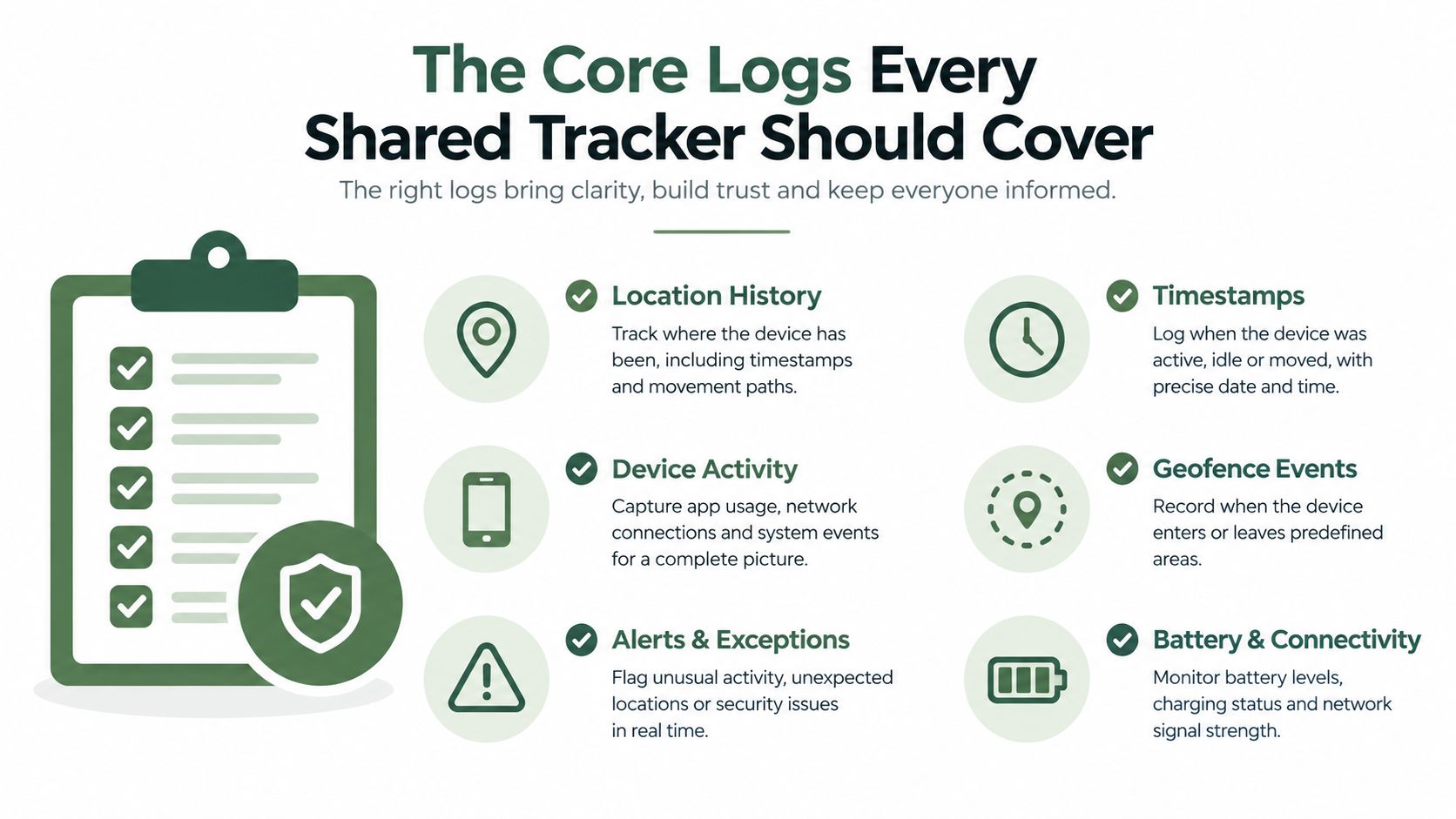
A useful shared timeline starts with ordinary care, not elaborate keepsakes. The exact fields will vary by family, but the core categories should be easy to find and quick to update.
Start with the daily rhythm
Feeds should allow a caregiver to record breastfeeding, bottles, formula, and solids without forcing every family into the same routine. For a bottle, that may mean type and amount. For nursing, it may mean side, duration, or a simple completion note. These records aren't a substitute for professional feeding guidance. If you're concerned about intake, supply, weight gain, or feeding behavior, contact a pediatrician or lactation professional.
Sleep works best as a window rather than a single label. Record when a nap began and ended, along with night wakes when those details help the household understand the day. A caregiver arriving mid-afternoon can then tell whether the baby is coming off a long nap or has had a disrupted morning.
Diapers need enough detail to support a handoff. Wet and soiled entries, plus an optional note about a rash or unusual observation, are usually more useful than a crowded form that takes too long to complete.
Add the information that changes handoffs
Pumping logs matter for nursing parents who need to coordinate expressed milk across home, work, and childcare. A shared record can show when pumping happened and where milk was stored, while health or feeding questions should go to an appropriate professional.
Growth entries can hold weight, height, and head circumference for family reference. These records should be treated as a place to organize information for a clinician, not as a tool for interpreting development or making medical decisions.
Milestone notes preserve firsts, new skills, and small observations. They're the most journal-like part of the tracker, but they become more useful when kept alongside the daily timeline. A photo or short note can explain why a particular day mattered without sending the detail into a separate chat thread.
The same system may also include medication reminders and doctor-visit notes. Those features require extra care with permissions and privacy. Record only what the household needs, and take health questions to the child's pediatrician rather than relying on an app's interpretation.
For a printable alternative or a way to think through the fields before choosing software, use this baby daily log template. The test is simple: can a caregiver open the timeline and understand the baby's recent care without asking three people for missing pieces?
How Multi-Caregiver Access Really Works
Shared access should mean separate identities, not one password passed around the household. A primary parent can create the child profile and household, then invite a partner, grandparent, nanny, or daycare contact through a QR code, email link, or phone-based invitation.
Each person should sign in with their own account or access method. That creates a clearer record of who entered an event and avoids the confusion that follows when several people use one device or one shared login.
Roles should match responsibility
A partner may need broad access, including the ability to add entries and invite another caregiver. A grandparent might only need to read the recent timeline and add occasional notes. A nanny generally needs active logging access during working hours. These roles shouldn't be treated as interchangeable.
A permission model can include:
- Household administrators: Manage the child profile, invitations, and access settings.
- Active caregivers: Add feeds, sleep, diapers, notes, and other permitted entries.
- Read-only family members: See the information they need without changing the household setup.
- Daycare users: Log care for an assigned child without seeing unrelated family details.
Daycare access deserves its own design. A teacher or classroom aide may care for several children, so an appropriate system should support a classroom profile or child-specific view without exposing one family's information to another. A browser-based workflow can be practical when a center doesn't want every staff member to install an app.
Sync should be designed for real life
Care doesn't pause when a phone loses signal. A caregiver may log a feed at a park, on public transport, or during a commute, then reconnect later. The system should save the entry locally, attach a trustworthy time, and reconcile it with the household timeline when the device is back online.
That reconciliation needs to avoid duplicate entries and make conflicts understandable. If two caregivers record overlapping events, the app should preserve both records or clearly show how they were merged. Silent overwriting is a poor fit for shared care because it creates uncertainty precisely when the household is trying to reduce it.
A useful handoff field can hold an end-of-day summary, such as “short afternoon nap, good bottle, spare clothes used.” That gives daycare or a nanny a place for context without turning every event into a long message.
How to Choose the Right Baby Diary App
A polished interface can hide important gaps. Before subscribing, ask how the tracker behaves when several people use it, when a device goes offline, and when the family wants to leave.
Start with five practical questions
How does it handle private information? Look for data minimization, clear retention rules, encryption, and a readable explanation of third-party sharing. On-device storage may suit a family that wants local control, while encrypted household sync may be more useful when several caregivers need the same timeline.
What does shared access include? Check whether the app supports separate parent roles, nanny access, grandparent permissions, and daycare-friendly views. Ask whether invitations expire, whether access can be revoked immediately, and whether a caregiver can use a browser instead of installing an app.
Can everyone use it comfortably? English and Spanish support may matter in a bilingual household, especially when grandparents, nannies, or daycare staff prefer different languages. Also check time-zone handling if caregivers travel or family members live in different regions. A timestamp should remain understandable to the person reading it.
What happens without a connection? Test the app in airplane mode. Can someone record a feed, sleep period, or diaper change? Does the entry queue safely and sync later? Can the household tell whether an item is pending, synced, or duplicated?
What will the full cost be? Compare the monthly or annual price, trial terms, caregiver seats, export options, and what happens to historical records after cancellation. A low headline price may not be low for a family that needs several active users or long-term access.
Treat extras as secondary
Milestone pages, photo layouts, and automated summaries can be pleasant additions. They shouldn't outweigh reliable logging, sensible permissions, and an export path. A family will notice a missing nap or a confusing handoff much sooner than it will notice that a decorative feature is absent.
Run this quick check before committing:
- Invite test: Add the people who will provide care.
- Handoff test: Ask another caregiver to find the latest feed, nap, and diaper.
- Offline test: Create an entry without signal and confirm how it syncs.
- Privacy test: Find the data policy and identify who can access records.
- Exit test: Locate the export function and read the cancellation terms.
Setting Up a Shared Tracker in the First Week
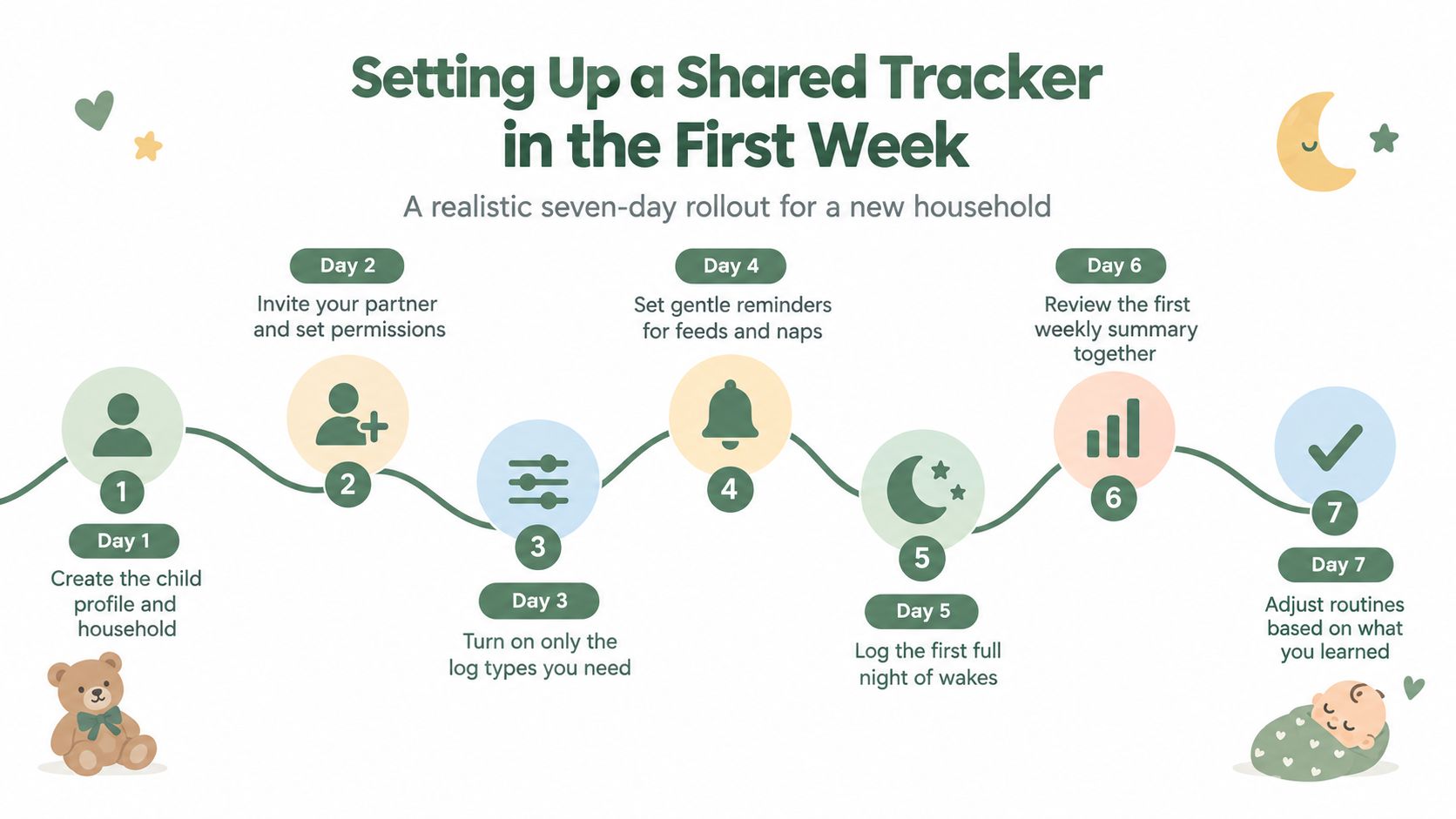
The first week should be a gentle trial of the household's real routine, not a demand to record everything perfectly. Begin with the people who provide care most often, then add occasional helpers only when the access level is clear.
Give each caregiver a useful role
On the first day, create the child profile and household. On the next day, invite a partner through an email or sign-in link and give them permission to add the same core logs. A grandparent can receive a QR code or share link with a narrower role if they mainly need to read the timeline and add occasional notes.
Add a nanny as a recurring caregiver, with access that covers the hours and tasks they handle. For daycare, use a child-specific or classroom-friendly view. If the center uses an iPad or shared browser, a bookmarked URL may be easier than asking every staff member to install an app.
Use ordinary moments as the test
Have different caregivers log real events from different phones:
- A parent records the morning feed.
- A grandparent records a midday nap.
- A nanny records an afternoon diaper.
- A daycare contact adds the end-of-day note.
- The household checks whether the entries appear in one sensible timeline.
Don't add every optional category at once. Start with feeds, sleep, diapers, and notes, then add pumping, solids, growth, or milestones when the basic handoff feels natural.
If someone loses signal at the park or during a commute, they should still be able to record the event. Once the device reconnects, the app should reconcile the queued entry with the shared timeline without creating a duplicate. Check the result rather than assuming it worked.
At the end of the week, review the household together. Remove invitations that aren't needed, change a grandparent's role if their needs are different from what you expected, and confirm that daycare sees only the entries relevant to daily care. The goal isn't a flawless record. It's a routine that remains usable when everyone is tired.
Privacy, Data Ownership, and Offline Use
Privacy belongs in the first conversation about a baby tracker. A daily log can contain feeding patterns, sleep routines, health-related notes, photos, and details about several adults connected to the child.
Independent auditing has found that all 14 baby-tracking apps examined shared data with third parties, including sensitive fields such as due dates and pregnancy-loss data, and that many transmitted identifiers across borders without meaningful consent, according to the Policy Review audit. That finding doesn't mean every tracker handles data the same way. It does mean the telemetry layer deserves as much attention as the logging feature.
What responsible handling looks like
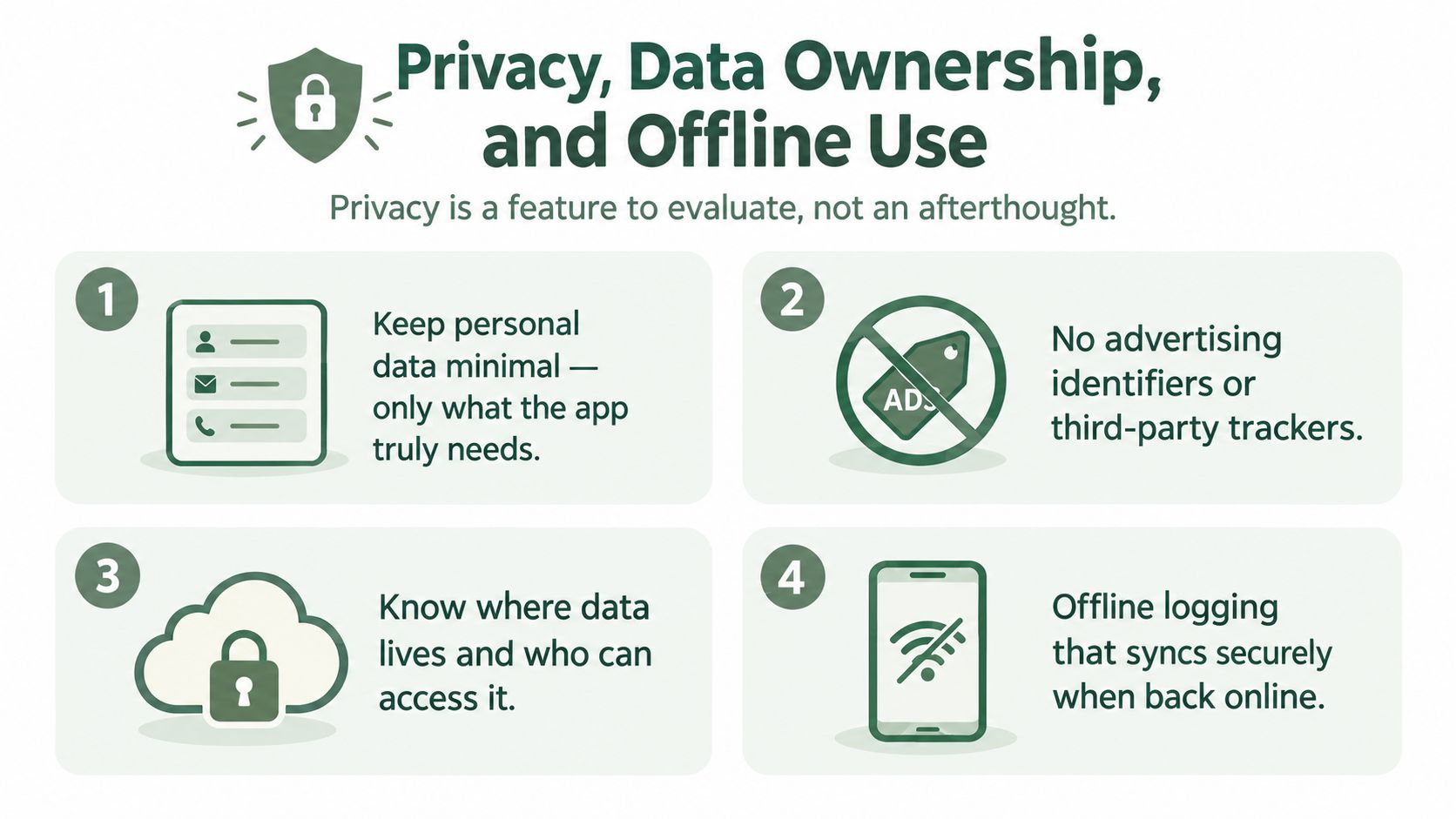
A sensible privacy posture includes:
- Minimal collection: The app asks only for information needed to provide the chosen service.
- No advertising identifiers: Care records aren't connected to ad-tech profiles.
- Clear access controls: The household can see and revoke caregiver permissions.
- Readable retention terms: Parents understand how long records remain after cancellation.
- Exportability: The family can retrieve its own timeline in a practical format.
Recent app-store descriptions for some baby diaries emphasize local-only storage, no required account, no analytics, encryption, and exportability. Those claims can be useful starting points, but families should still read the privacy policy and check whether the actual product behavior matches the marketing language.
Compare local storage with cloud sync
A local-only app can reduce exposure because entries stay on one device or within a limited device set. The trade-off is that sharing, recovery after device loss, and cross-device continuity may be harder.
A cloud-synced household can support parents, nannies, grandparents, and daycare across locations. It also creates a responsibility to understand where records live, who processes them, how they are encrypted, and whether third-party services receive identifiers or usage data.
Offline logging adds another layer. Ask what works without a connection, whether pending entries are encrypted, how synchronization resolves conflicts, and whether the app shows a clear sync status. Before choosing a service, read Cradlo's privacy information alongside the product's permissions and cancellation details.
Ask before trusting the record: What data is collected, who receives it, where is it stored, how can we export it, and what disappears when we close the account?
Understanding Trial and Pricing Models
Families encounter several pricing structures, and the cheapest-looking option isn't always the easiest to live with. A tracker may offer a free tier, a time-limited trial, a monthly subscription, an annual plan, or a one-time lifetime purchase.
| Pricing Model | Typical Duration | Shared Access Included | Key Trade-Off |
|---|---|---|---|
| Free tier | Ongoing while the tier remains available | May limit caregiver seats or log types | Low upfront cost, but core sharing may be restricted |
| Limited-time trial | Short evaluation period | Depends on the paid plan being tested | Useful for testing real handoffs, but check the renewal date |
| Monthly plan | Renews each month | Often tied to the selected tier | Flexible, though the total cost can grow over time |
| Annual plan | Renews each year | May include broader access than entry tiers | Lower interruption risk, but requires a longer commitment |
| Lifetime purchase | One payment | Usually defined by the purchase terms | No recurring renewal, but support and future access terms need review |
A trial isn't the same as a free plan. During a trial, the household may temporarily access paid features, then move to a paid subscription unless it cancels. A free tier may remain available indefinitely but restrict shared caregiver seats, history, exports, or certain log types.
Read the exit terms
Before starting, find out what happens to historical entries if a subscription lapses. Some services preserve records but restrict editing. Others limit access to older history or remove features needed to export it. Don't wait until cancellation to discover that the family can't retrieve its own timeline.
Daycare or nanny access also deserves a direct question. A caregiver who only needs to add daily entries should not inadvertently push the household into the highest tier. Check whether invited users count as paid seats and whether permissions can be narrower than the account owner's access.
Cradlo is one example of a shared tracker using a 7-day free trial on a monthly plan, followed by paid access rather than a free plan. Its listed options include Plus at $4.99 per month, $49.99 per year, or a $99.99 one-time Lifetime plan. Treat those details as a product example to verify before subscribing, and compare them with the access, export, privacy, and offline terms that matter to your household.
A Gentle Starting Point for Your Family
A baby diary app works best when you treat it as a shared caregiving log, not a scrapbook that one parent has to maintain. The record helps a partner, grandparent, nanny, or daycare worker understand what happened before their shift and what the next caregiver may need to know.
Look for a timeline that handles the basics reliably, separate identities for caregivers, daycare-friendly permissions, offline reconciliation, clear privacy terms, and a price you can sustain. Milestones and photos can add warmth, but they shouldn't distract from the practical work of recording feeds, sleep, diapers, pumping, solids, growth, and notes.
The right system should make the evening conversation shorter and clearer, not turn care into a performance.
Test one shared log with the full care circle before choosing a long subscription. Invite everyone who feeds, settles, changes, or regularly receives the baby, then observe what happens during real handoffs. A week of ordinary use will tell you more than a long feature list.
Pick a week, invite the people involved, and see whether one shared timeline reduces the nightly reconstruction of the day.
Cradlo brings parents, partners, grandparents, nannies, and daycare into one shared care record with individual access and offline logging. Start by visiting Cradlo to see whether its shared timeline fits the way your household hands care from one person to the next.